Welcome to SoftSync's Enhanced Version
We’ve specifically designed it to work with the added security of Microsoft’s Windows 7, 8, and Vista operating systems. It's a snap to set up and use...
You will need to choose “Use the Enhanced Version of SoftSync” as a user preference in WinRater.
 This is something that only needs to be done once Click Here to see how
When updates are available we'll send you an email and you will run SoftSync from your WinRater.
Keep in mind, you won’t have to come to the SoftSync webpage to run updates again once you've chosen to use the Enhanced Version of SoftSync.
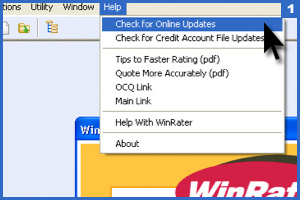
Check for Online Updates
From the Help Menu in WinRater go to "Check for Online Updates"
SoftSync will begin to run.
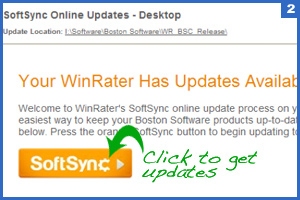
This screen will appear after a few seconds.
Click the orange SoftSync button to download the available updates.Updates get downloaded!
A progress bar will display illustrating that the updates are downloading and being applied.
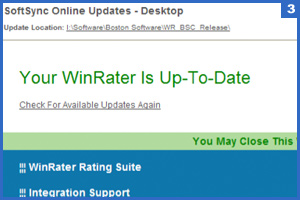
Once the process is complete, this screen will appear, and you are done! If you experience issues, please call us at 781-449-8585.